UI overview
Search page
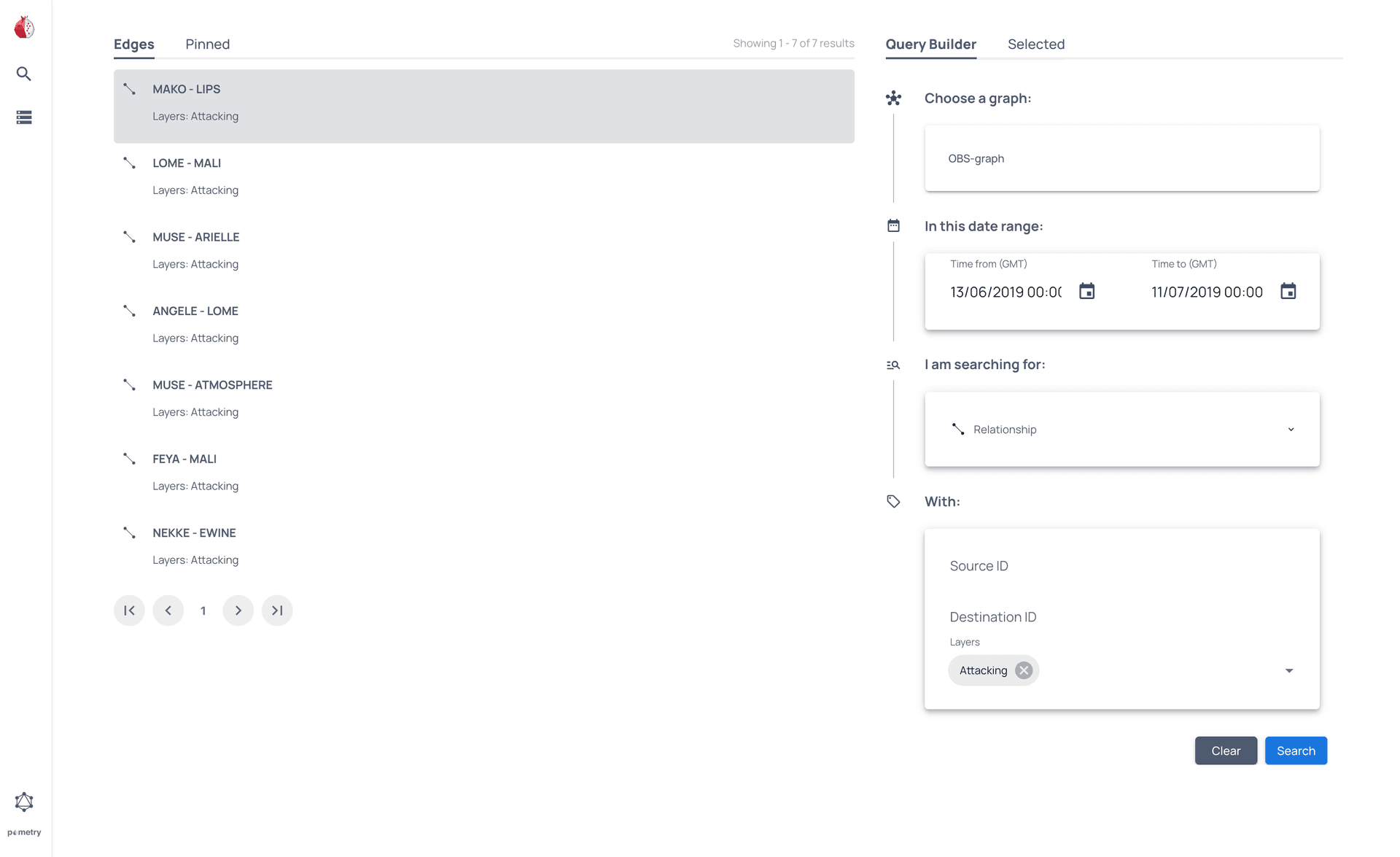
The Search page consists of the following elements:
- Global menu - Switch between any of the main pages.
- Search results - Shows the results of your query.
- Pinned results - Shows any results you have pinned.
- Query Builder - Search a selected graph using the options provided.
- Selected - Shows contextual information about the current selection.
Graphs page

The Graphs page consists of the following elements:
- Global menu - Switch between any of the main pages.
- Graphs list - Shows the available graphs.
- Context menu - Shows contextual information about the current selection.
Graph view

The Graph view displays the graph or sub-graph you have selected and provides information on that selection. You can also refine your selection further or save it as a new graph.
For more information, see the Graph view page.
GraphQL playground

This page allows you to access the standard GraphiQL playground.